
A MIDI piano visualizer that lights up as the notes land.
Open a MIDI file and it falls to the keys. Press Listen and watch, or plug in your MIDI keyboard and play it yourself, marked note by note.
Play along with any MIDI file.
Open a .mid file and MidiSlayer splits it into parts, one for each track and channel. Play the piano, let the app play the band, leave the drums out. Try it below.
Kept for this file. One part always stays yours to play.
- A one-track piano file splits into two hands at a key you choose
- Tempo changes play as written
- Your choices are kept for each file
- MIDI files open in the full version
Style your MIDI visualizer.
Four skies, three note styles and six colour pairs, changed while it plays. Every picture here is the app itself. Pick a look.
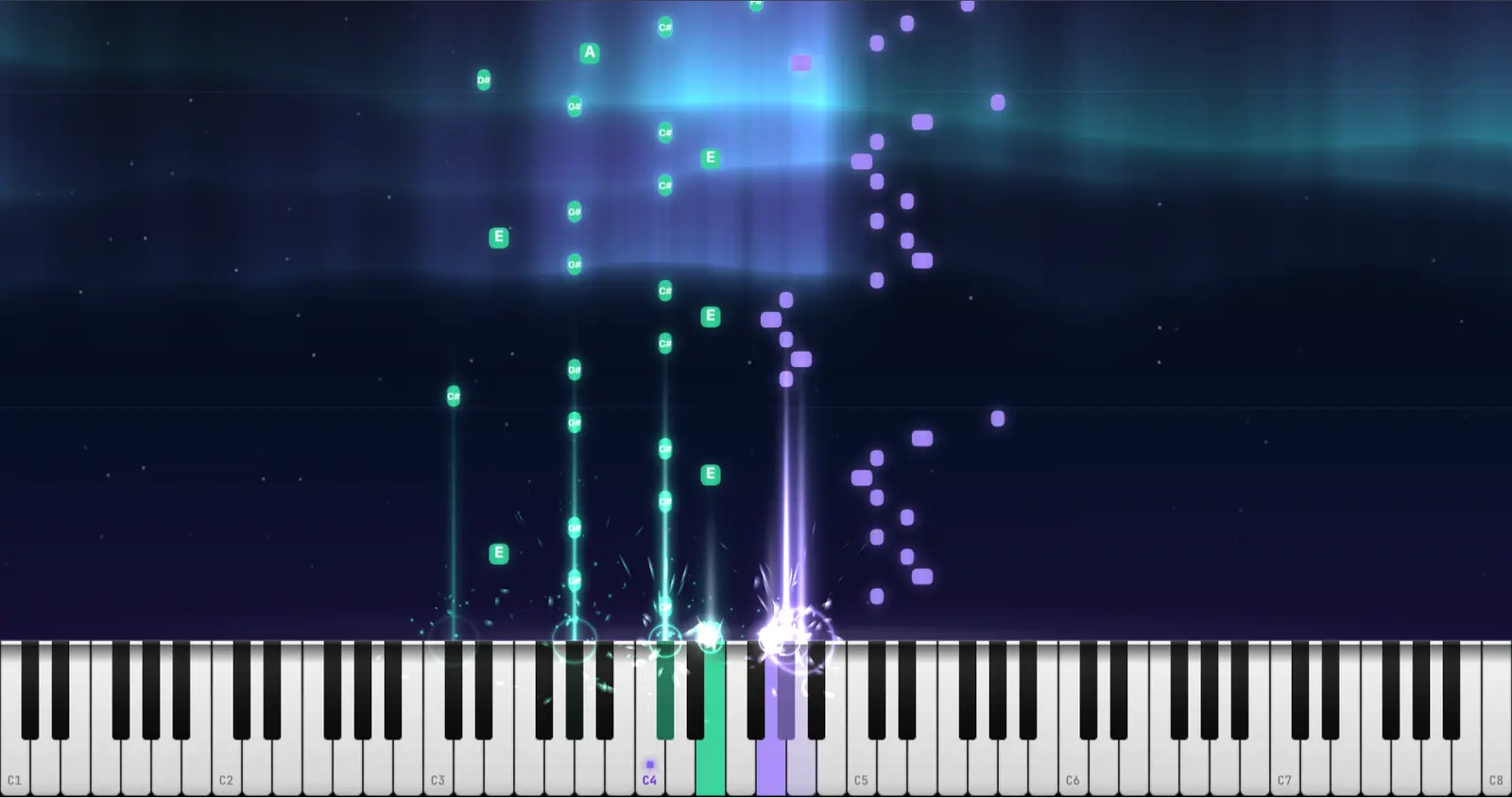
Shown: Aurora background, Glow notes, Violet and mint.
Curtains of light over a starry sky. Your notes light them up. Solid bars with a soft halo.
Right hand Left hand
Effects Braid · Petals · Shards · Minimal
Keys MidiSlayer · Ivory
Also fall time, note names, C labels
A MIDI visualizer you can also play.
Every piece in the library falls, from Ode to Joy to Chopin. Plug in a MIDI keyboard and every note you play is marked as it lands. Pick a way to play.
A MIDI visualizer for videos and streams.
Press the overlay button and the app around the falling notes goes. Record the window, or capture it in OBS and lay the notes over your own footage. Drag the line to compare.
Streaming your own playing? The OBS piano overlay shows your keys, a staff and chord names live, free.
MIDI piano visualizer questions.
Four pieces fall in the free version, no time limit. Your own MIDI files come with the full version.
The free version is a real slice with no time limit, and four pieces fall in it: Ode to Joy, Greensleeves, Clair de Lune, Fantaisie-Impromptu. Your own MIDI files, and every other piece in the library, come with the full version, a single payment with no subscription.
Standard MIDI files (.mid, .midi) and MusicXML. MIDI files have no notation, so they open as falling notes only; MusicXML opens as sheet music or falling notes.
Not to watch: press Listen and the piece plays itself. To play along and be marked, any MIDI keyboard or digital piano over USB, or Bluetooth MIDI on iPad.
Yes. Press the overlay button in the toolbar and the app around the notes disappears, so a screen recorder or OBS captures just the field. Put the notes on a key colour or as light on black to lay them over other footage, or show the full scene. The overlay is on macOS, Windows and Linux.
No. MidiSlayer is an app for macOS, Windows, Linux and iPad. It reads your keyboard straight from MIDI, and your files never leave your computer.