The OBS piano overlay that reads what you play.

Your MIDI keyboard lit, the notes written on a grand staff, the chord named as you play it. One window, captured in OBS. Free.

Stream overlay
In OBS Blending Mode: Screen

macOS, Windows and Linux · any USB MIDI keyboard · new in 0.18

Your viewers see every note three ways.

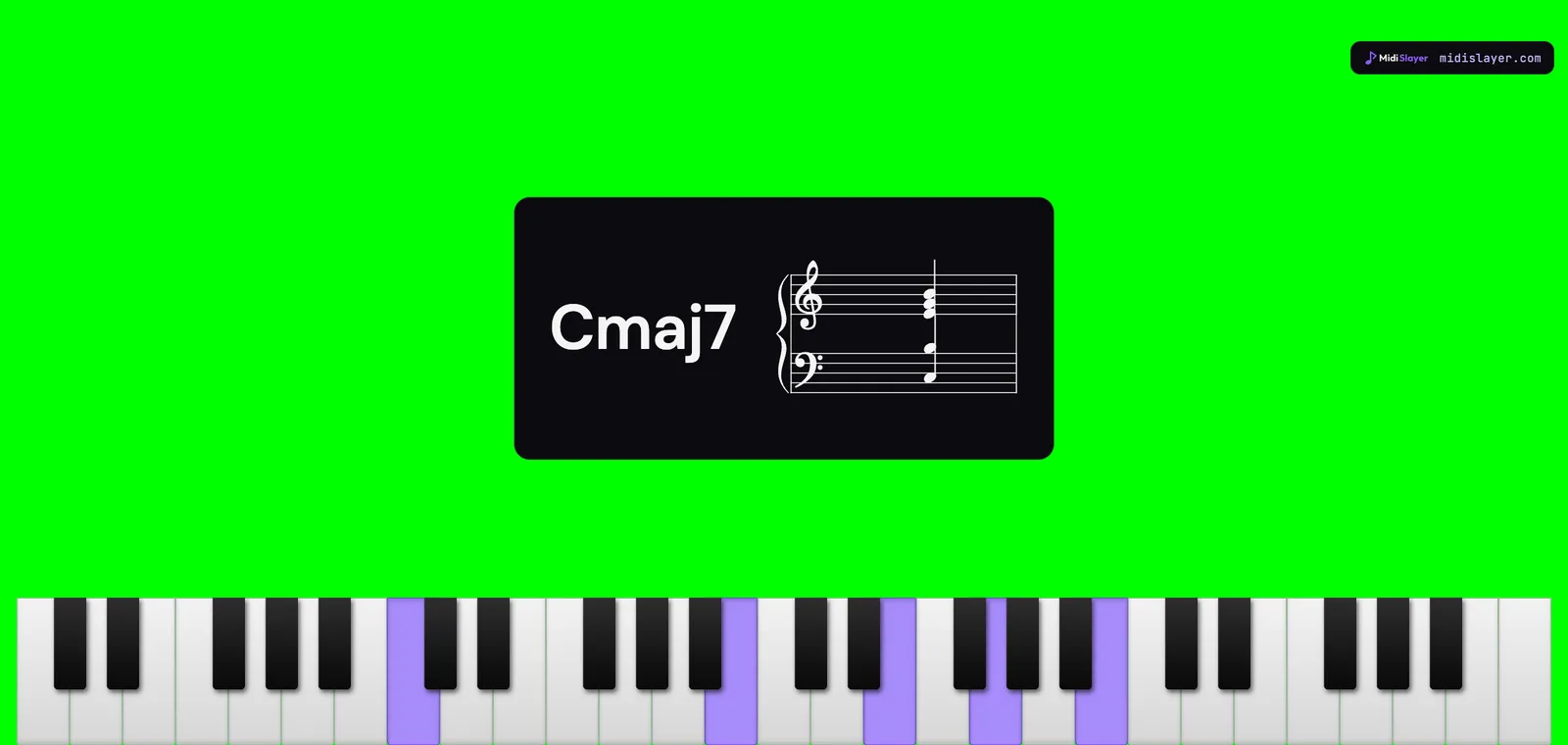
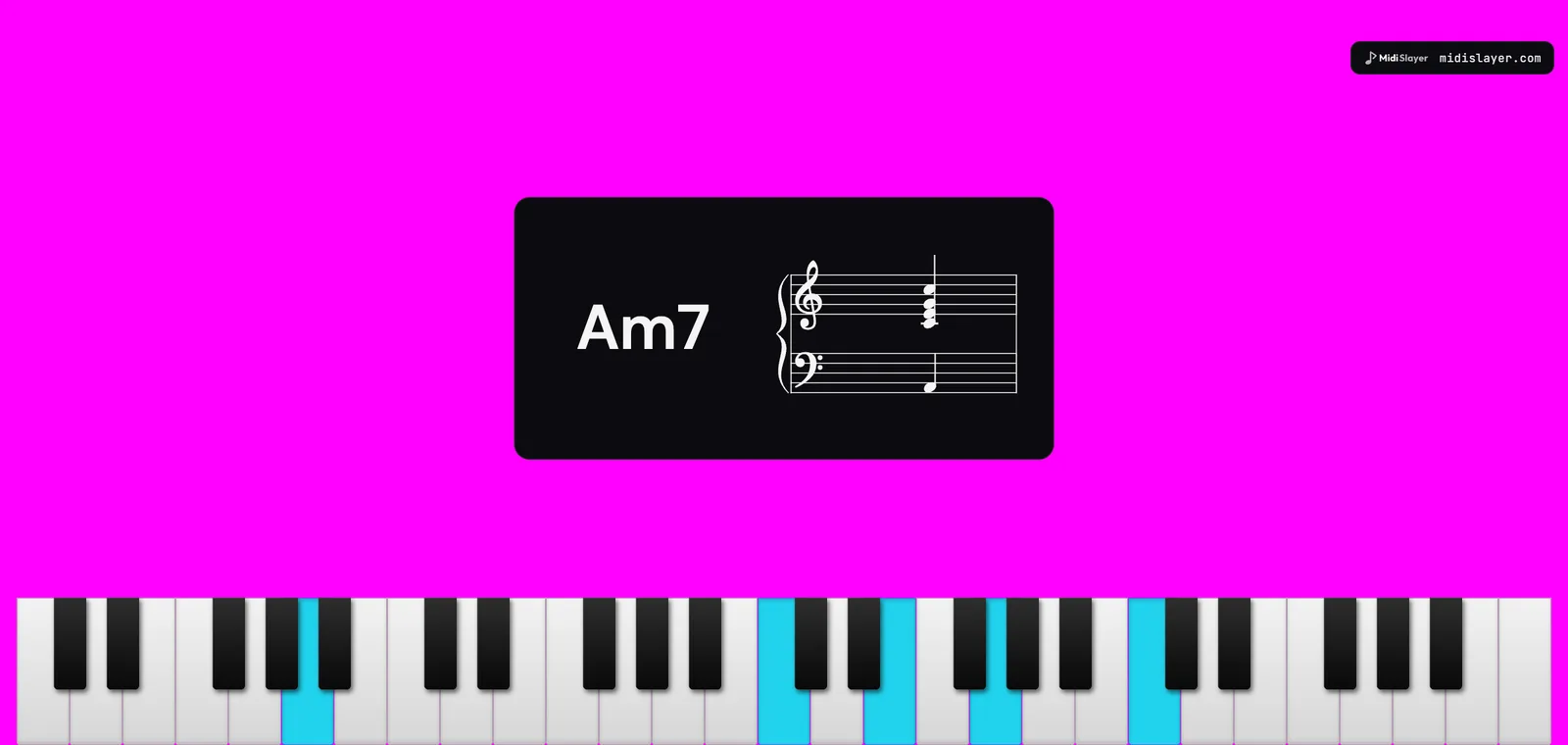
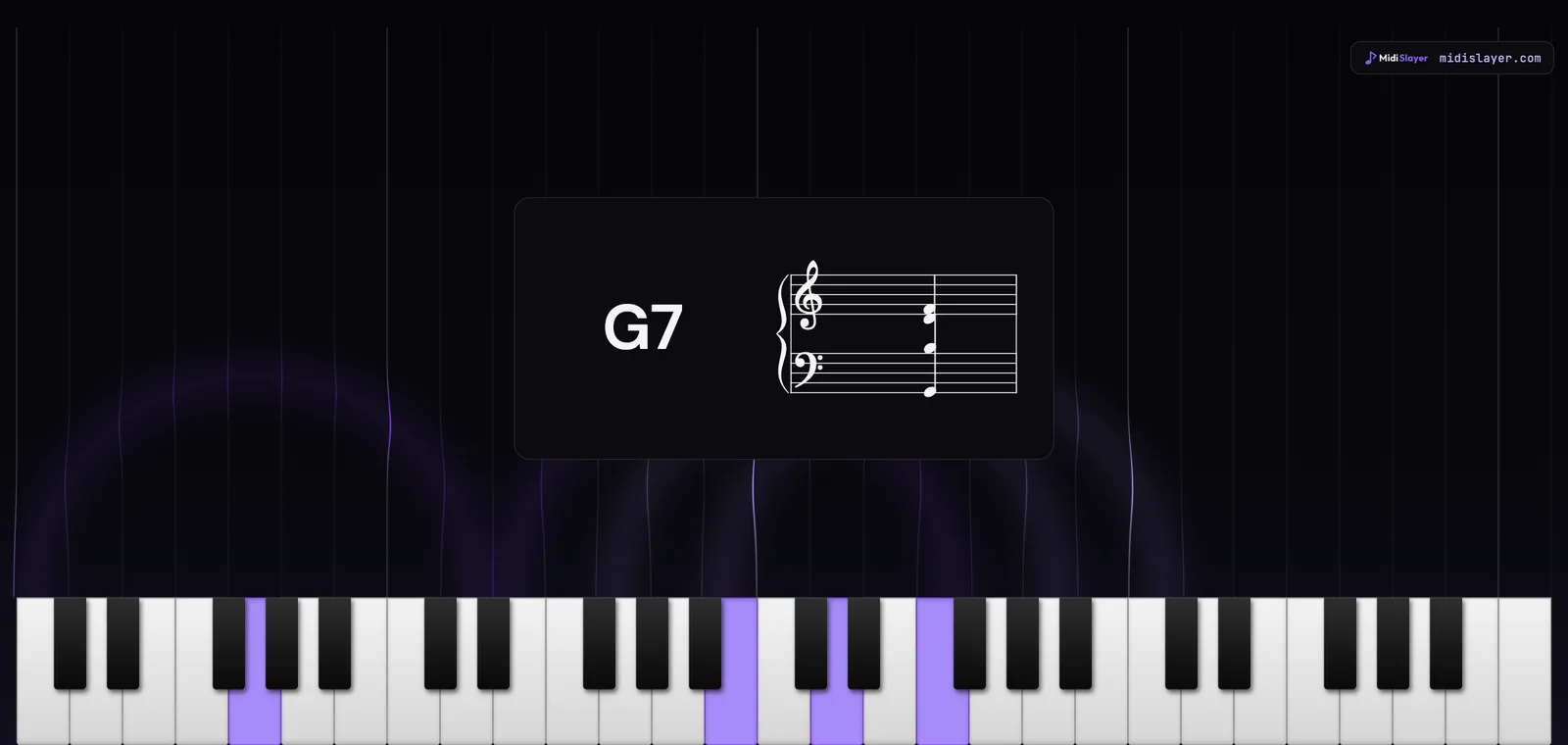
Hold a chord and the keys, the staff and its name answer together. It names what you hold, inversions and all.

Chord name

The chord you hold, named: C, Am7, G7/F. It stays up until your next key, so viewers have time to read it.

  • Inversions, with the bass after a slash: C/E, G7/F.
  • Any octave and any doubling: a ten-finger C is still C.
  • Sevenths without their fifth, the way pianists often voice them.
Staff

What you hold is written on a grand staff, spelled as the chord it is.

Keyboard

Each key lights as you play it.

Shown: C, C major; Am7, A minor seventh; Fmaj7, F major seventh; G7/F, G seventh, F in the bass; C/E, C major, E in the bass.

Style the card. Colour the notes.

Try it. These are the overlay’s own Card settings and note colours, drawn the way your viewers see the stream.

Back
Ink
Size
Corners
Notes

Violet and cyan

On a key colour the overlay only offers the note colours the key leaves whole. The second colour is the left hand, in falling notes.

Set it up in OBS in three steps.

The green is OBS's own Chroma Key green, so the filter works as it comes. Nothing to tune.

  1. 1Open the overlay

    In MidiSlayer, go to Practice and click Open the live overlay.

    PracticeOpen the live overlay

    For a piece instead: open it in Falling notes and press the overlay button in the toolbar.

  2. 2Add it to OBS

    In OBS, click + under Sources, choose Window Capture and pick the MidiSlayer window.

    Sources+Window Capture

    On a Mac it is macOS Screen Capture, with Method set to Window Capture. On Linux, Window Capture (PipeWire), or (Xcomposite) on X11.

  3. 3Remove the green

    Right-click the source, choose Filters, click + and add Chroma Key. The green is gone; nothing to adjust.

    Filters+Chroma Key

    Magenta key: set Key Color Type to Magenta. Light on black: skip the filter and set Blending Mode to Screen.

Last, in the live overlay: move the mouse over it and drag the card and the keyboard where you want them. It remembers.

Playing a piece? Put the falling notes on stream.

Open any piece in Falling notes and press the overlay button. The app around it goes, and the notes fall to the keys on the same backgrounds.

MIDI files work too: the MIDI piano visualizer
The MidiSlayer windowWindowIn OBS: Blending Mode, ScreenIn OBS
  • Space starts and pauses
  • R starts again
  • Esc leaves the overlay
  • Score, combo and accuracy stay on screen while you play for a score

OBS piano overlay questions.

Plug in, capture one window, play. The overlay is in the free version, mark and all.

Yes. The stream overlay is in the free version of MidiSlayer, live mode and falling notes alike. It shows a small midislayer.com mark in the corner; the full version can switch the mark off. On the free version, four pieces fall: Ode to Joy, Greensleeves, Clair de Lune and Fantaisie-Impromptu.

Any MIDI keyboard or digital piano that connects to your computer over USB. MidiSlayer reads the notes straight from MIDI, so a chord is every key you hold, exactly, not a guess from sound.

Yes, on macOS, Windows and Linux. The overlay is a window you capture, so it works with OBS Studio on all three. It is not on the iPad version, which has no OBS to capture it.

Green (#00ff00), OBS's default, unless you wear green or stream from a green room; then magenta (#ff00ff). Both are OBS's own presets, so the filter needs no custom colour. There is no blue: at OBS's default settings a blue key also takes out white and black, so the keys and the staff.

Yes. Pick the notes' colour pair in the overlay bar (on a key colour, only pairs the key leaves alone are offered), and style the chord card: a panel, no panel or glass, white or coloured ink, a bigger name or a bigger staff, round or square corners.

Anything that can capture a window works. For the key colour you need a chroma key filter; for light on black, a Screen blending mode. OBS Studio has both.

Yes. Open any piece in Falling notes and press the overlay button in the toolbar: the app around it disappears and the notes fall on the same backgrounds. MIDI files open there too, in the full version.